
What Is a Link? Anatomy, Types of Links and Why They Matter for SEO
How a link is built, which types exist, how to use rel attributes and write good anchor text, and which mistakes to avoid, with a final checklist.

Eugenio Tommasi
Founder of SEO SRL
Published 10 min read

A link, or hyperlink, is an element on a web page, usually text or an image, that points to another address: another page, a file or a section of the same page. In HTML it is written with the <a> tag: the href attribute holds the destination URL, and the clickable text is the anchor text.
Table of contents (8 sections)
Links decide how people move around a site, how Google discovers and evaluates pages, and which sources get cited in AI search answers. A link has a precise structure, comes in different types, carries rel attributes, needs well-written anchor text and is prone to a few recurring mistakes. At the end you'll find a checklist to apply to your own pages.
What is a link and how is it built
In HTML, a link is the <a> tag (from anchor) and it has three parts.
- The destination URL, in the
hrefattribute: the address that opens when someone clicks. Withouthref, the element goes nowhere. - The anchor text, the clickable text between
<a>and</a>: it is what the user reads and, for search engines, a clue about the topic of the destination page. - Optional attributes, which change how the link behaves:
reldescribes the relationship with the linked page (for examplesponsoredfor a paid link),target="_blank"opens the destination in a new tab,titleadds a tooltip on mouse hover.
Four correctly written links, one for each typical case:
<!-- 1. Internal link with relative URL and descriptive anchor text -->
<a href="/guide/scarpe-da-trail/">how to choose trail running shoes</a>

<!-- 2. Paid external link, qualified with rel -->
<a href="https://example.com/offerta/" rel="sponsored">partner offer</a>

<!-- 3. Image link: the alt text acts as anchor text -->
<a href="/prodotti/zaino-30-litri/">
  <img src="/img/zaino.jpg" alt="30-liter hiking backpack">
</a>

<!-- 4. Anchor to a section of the same page -->
<a href="#checklist">go to the checklist</a>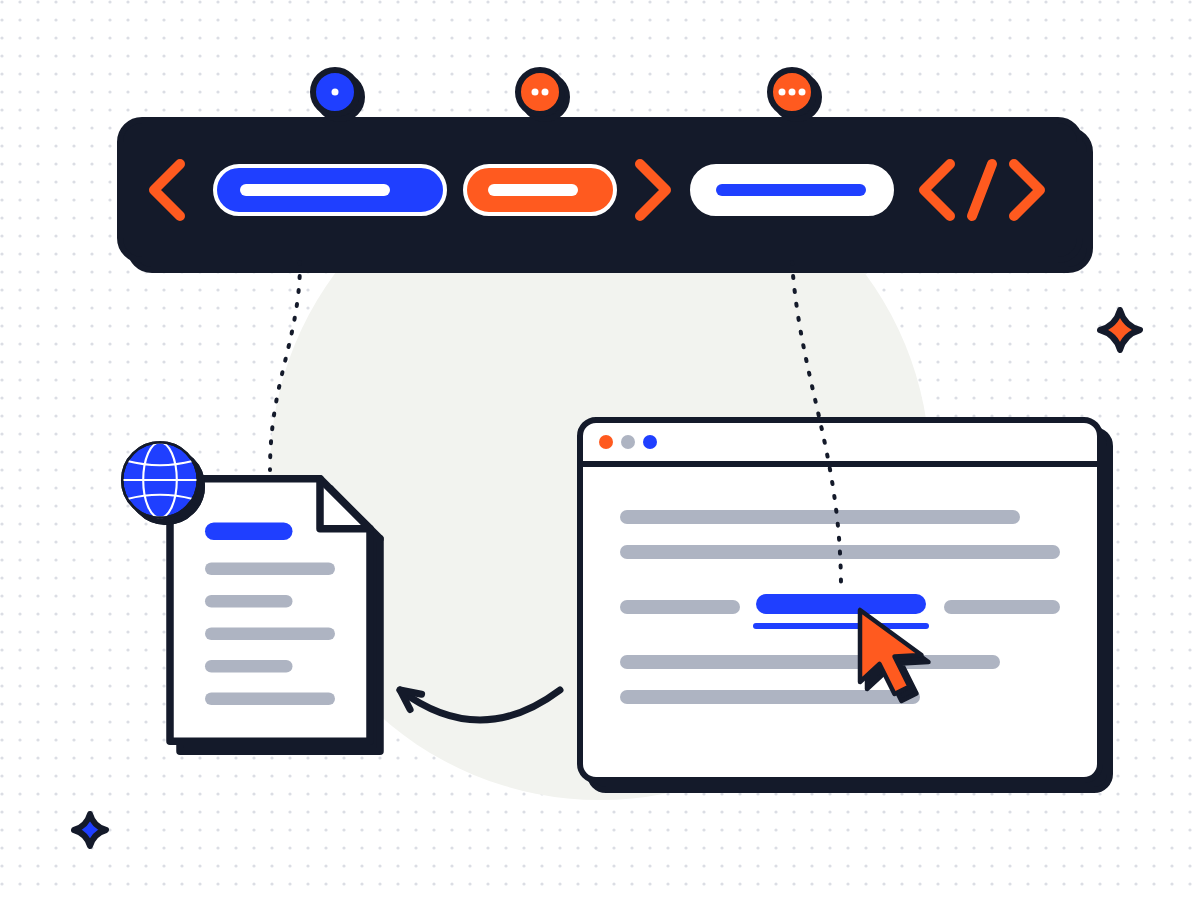
When a link is "readable" by Google
Google reliably follows only <a> elements with an href attribute that contains a resolvable URL. Buttons that change page only through JavaScript, <span> or <div> elements made clickable by a script, or <a> tags without href work for people browsing, but they risk not being crawled. For the full list of the tag's attributes, see the reference page on MDN.
Types of links
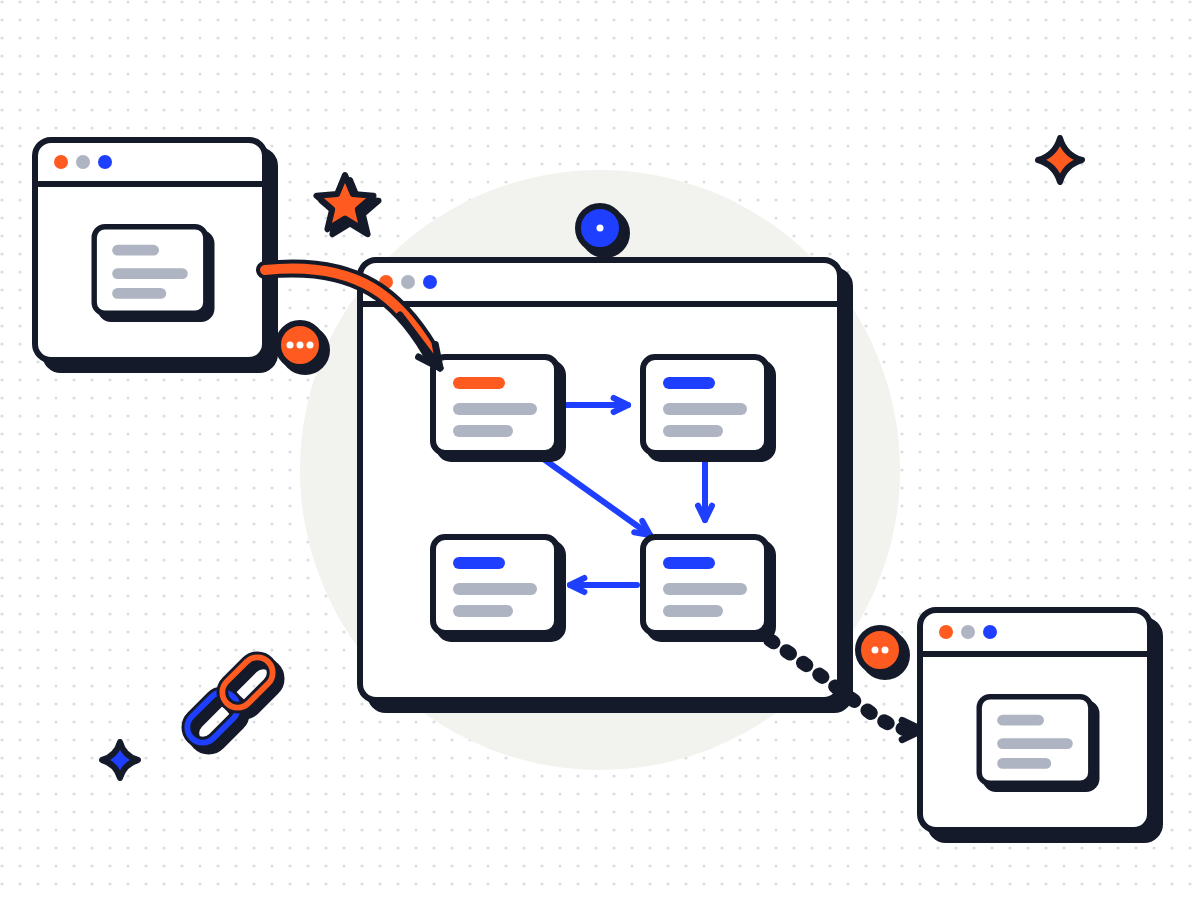
Links are classified mainly by where they lead and where they come from. The distinction matters because each type plays a different role for users and for SEO.
Internal links
They connect two pages on the same domain: the menu, breadcrumbs, cross-references inside an article, "related products". They are the only links you fully control. They guide readers to the next step, help Google discover new pages and signal which pages you consider most important, because those receive more links. Every important page should get at least one link from another page on the site. A page nobody links to (an orphan page) can still be discovered through the sitemap, but it stays weak.
External or outbound links
They start on your site and lead to another domain. Citing an official source, a regulation or a study makes your content more verifiable and therefore more credible. The rule is simple: link to what helps the reader and what you'd be willing to vouch for. If the link is paid or you don't trust the destination, qualify it with the right rel attribute (more on that shortly).
Backlinks (inbound links)
These are links that other sites point to yours. For search engines they work like a recommendation: someone outside your control decided your page was worth citing. That is exactly why they are the hardest to earn and the most exposed to abuse. What matters is the relevance of the linking site, the context in which the link appears and the naturalness of the anchor text, not the absolute number. We explain how to earn them properly on the link building page; the criteria for deciding whether a link is worth anything are in the guide on how to evaluate a backlink.
Image links
When the clickable element is an image, there is no visible text: for Google, the image's alt attribute plays the role of anchor text. A logo that points to the home page, a banner or a product photo should therefore have an alt that describes the destination or the content, not a generic "image1".
Anchors and fragment links
A link with the # symbol followed by an element's id (for example #checklist) leads to a specific section of the page. This is the mechanism behind the table of contents at the start of this guide. Anchors improve navigation in long texts, but Google generally doesn't treat fragments as separate pages: don't use them to show different content on the same URL.
Absolute and relative links
An absolute link carries the full address, protocol and domain included (https://example.com/pagina/); a relative one gives only the path (/pagina/) and relies on the domain of the current page. For internal links both work; for external ones you always need the absolute URL. What matters is always pointing to the final version of the address, with the same protocol, the same domain and the same trailing slash used by the canonical version.
rel attributes: nofollow, sponsored and ugc
The rel attribute tells search engines what kind of relationship you have with the linked page. For links to other sites, Google recognizes three values.
| Value | When to use it | Examples |
|---|---|---|
rel="sponsored" | The link is advertising or was obtained in exchange for money, products or other benefits. | Sponsored posts, affiliate links, banners, paid reviews. |
rel="ugc" | The link was added by users, not by the editorial team. | Comments, forum posts, public profiles, user reviews. |
rel="nofollow" | You don't want to associate your site with the destination and the other two values don't apply. | A source you cite in order to criticize it, a page whose reliability you can't vouch for. |
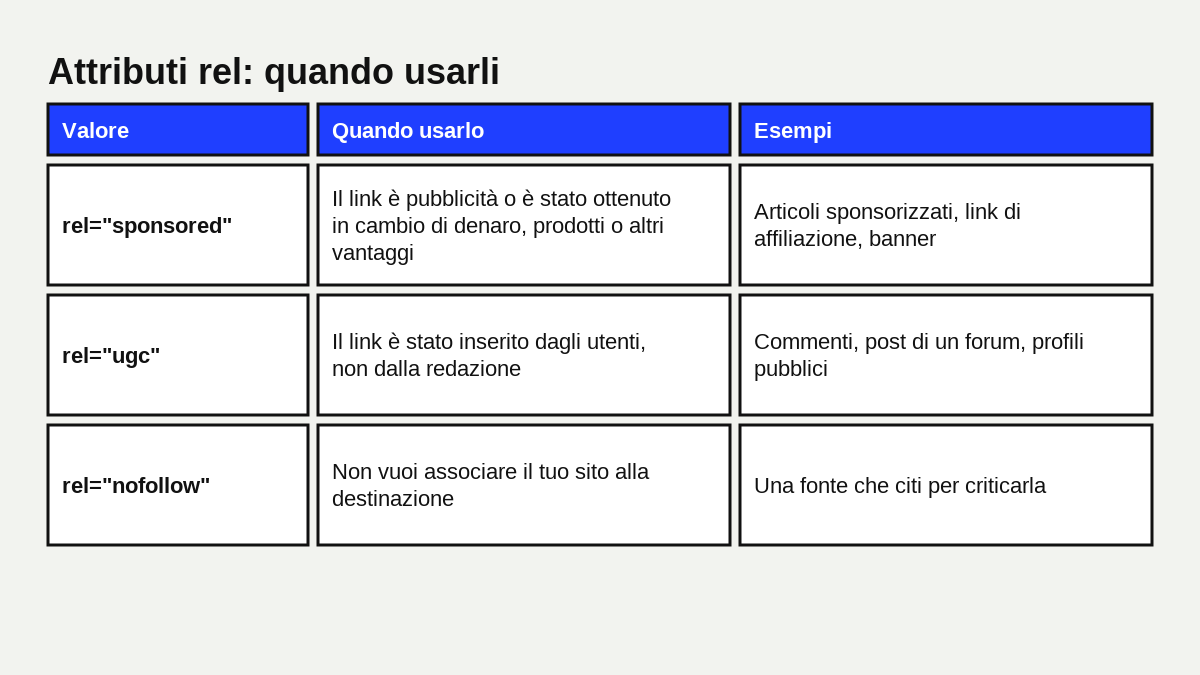
Values can be combined, separated by a space or a comma: rel="ugc nofollow". For paid links, plain nofollow is still accepted, but sponsored is the preferred value.
Three things to know before using them.
- It's not a total block. Links with these attributes are generally not followed, but the destination page can still be crawled if Google discovers it elsewhere.
- They aren't needed on internal links. Adding
nofollowto a link to another page on your own site doesn't "save" any value: if a page shouldn't appear on Google, you usenoindexor removal, and to prevent crawling you use adisallowrule in robots.txt, not nofollow on the links. - A paid link without an attribute is a risk. Buying or selling links that pass ranking value is link spam under Google's spam policies, and it can penalize both the site that publishes them and the site that receives them.
A fourth value you'll often see is noopener, paired with target="_blank": it prevents the new tab from controlling the page it was opened from. It has no effect on SEO.
Why links matter for SEO and AI answers
Links are how search engines travel the web. A crawler starts from pages it already knows, reads the links they contain and adds the new destinations to its crawl queue: this is the first step of the process I describe in how search engines work. Three distinct functions follow from this.
- Discovery. A page with no inbound links, internal or external, is hard to find and to crawl regularly.
- Context. The anchor text and the text around the link help Google understand what the linked page is about and which searches it may be relevant for.
- Importance. The idea behind PageRank is that a page cited by authoritative pages is more likely to be useful. Links distribute relevance from one page to another, even within the same site.
The same applies to answers generated by artificial intelligence. To appear in AI Overviews and AI Mode, the usual SEO best practices apply, including making content easy to find through internal links. Assistants that search the web, such as ChatGPT or Perplexity, also rely on crawlers and indexes that discover pages by following links. A well-linked page, with clear anchor text and cited sources, is easier to find, understand and cite. I cover this in the guide to Generative Engine Optimization.
How to write effective anchor text
Anchor text is the link's promise: it tells the reader, and the search engine, what they'll find on the other side. There are only a few practical rules.
- Describe the destination. "Guide to choosing trail running shoes" works; "click here", "read more" or "this article" say nothing, either to the user or to Google.
- Make it understandable on its own. People using a screen reader often scan the list of links on a page: every anchor text should make sense outside its sentence.
- Keep it short. I aim for two to six words. A whole clickable sentence dilutes the signal and makes the text tiring to read.
- Vary it naturally. In internal links you can use the destination page's keyword, but not always in the same form: synonyms and variants make the text read more naturally. For backlinks, an unnatural number of identical, keyword-stuffed anchors is one of the typical signals of manufactured links.
- Don't mislead. An anchor that promises one thing and leads to another costs you the reader's trust and, over time, the search engines' trust too.
The most common link mistakes
Broken links
A link to a page that returns a 404 error interrupts navigation and wastes crawl resources. It happens when you change a URL, delete a page or the site you cited shuts down. The fix is to update the link to the new destination or, if the URL changed on your own site, set up a 301 redirect.
Redirect chains
A link that leads to a URL that redirects to another URL, which in turn redirects to a third, slows down both the user and the crawler. Google's crawlers follow up to 10 redirect hops and then stop. But the problem starts well before that: every internal link should point directly to the final URL, with no intermediate steps.
Links to noindex or non-canonical pages
Linking from the main navigation to pages excluded from the index, filters, duplicate versions or URLs with parameters sends contradictory signals: you tell Google a page is important and, at the same time, that it shouldn't be indexed. Internal links should point to the canonical versions of the pages you want to rank.
Too many links on the same page
There is no official limit, but a menu with hundreds of items or an article full of cross-references makes it hard to tell which links really matter. Every extra link splits the reader's attention. I keep the ones that help with the next step and cut automatic cross-references nobody uses.
Links Google can't follow
Menus built only in JavaScript, buttons without href, links generated after a user interaction: they work for people browsing, but they can stay invisible to crawlers. Check that your important links are <a href> tags present in the page's HTML.
Wrong rel attributes
Two opposite and frequent errors: sponsored links published without sponsored or nofollow, and nofollow added out of habit to every external link, even to authoritative sources you're citing on purpose. The first is a risk; the second removes a transparency signal from readers and search engines.
Checklist: a page's links in 10 checks
- Every important link is an
<a>tag with a validhref. - Anchor texts describe the destination and make sense on their own.
- Clickable images have an
altthat describes the destination or content. - The page receives internal links from other relevant pages on the site, not only from the menu.
- The page in turn links to related pages that help the reader continue.
- External links lead to reliable, up-to-date sources.
- Paid and affiliate links have
rel="sponsored"; comments and user content haverel="ugc". - No link points to 404 pages, redirects or redirect chains.
- No internal link points to noindex pages or non-canonical versions.
- The number of links is proportionate to the page's length and purpose.
These checks belong in any well-run SEO audit, along with crawling, indexing and content.
Frequently asked questions
Are nofollow links worth anything?
Yes. They bring real visits and visibility, and Google generally doesn't follow those links, but the destination page can still be crawled if it discovers it elsewhere. A natural link profile contains both nofollow links and links with no attributes.


