
Google Keywords: What They Are and How to Choose the Right Ones
Keywords are the searches people make on Google. Learn how to choose them in 7 steps, group them by intent into a page map, place them without overdoing it, and which free tools to use.

Eugenio Tommasi
Founder of SEO SRL
Published 8 min read

Keywords are the words and phrases people type into Google when they look for something: choosing them means deciding which searches each page of your site should answer.
Table of contents (9 sections)
Keywords are the words and phrases people type into Google when they look for something. Choosing them well means deciding which searches each page of your site should answer. It is the first step of SEO, and the easiest one to get wrong.
You choose a keyword in seven steps, starting from Google itself. After that you group keywords into pages, decide where to place them and pick your tools, free ones included.
What keywords on Google are

It helps to tell apart two things that are often confused:
- query: what a person actually types, with their own words, typos and variations ("running shoes 4 asphalt");
- keyword: the term you choose to target with a page, which groups many similar queries ("running shoes for asphalt").
A page that ranks well usually shows up for dozens or hundreds of different queries, not just one. Google's systems connect a page to searches even without the exact words, and in 2019 about 15% of the searches Google received every day had never been made before. Keywords help you choose the topic and angle of the page, not a formula to repeat.
Short tail and long tail
Generic keywords ("running shoes") have high volume and heavy competition. Long-tail keywords ("running shoes for overweight beginners") are more specific, often longer, and each one has little volume, but there are a great many of them: an Ahrefs study measured that almost 93% of the keywords in its US database get fewer than 10 searches a month. They carry a clearer intent and, for a young site, they are almost always the place to start.
Search intent
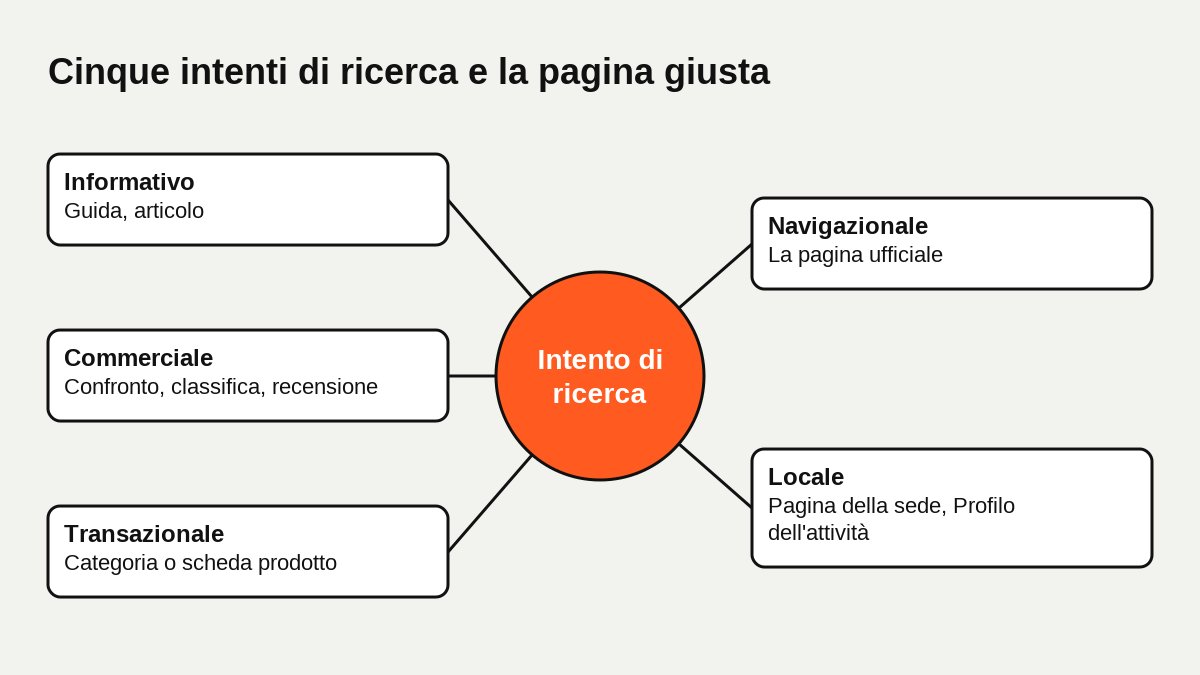
Behind every keyword there is an intent. Recognizing it decides the type of page you should write:
| Intent | Example | Right page | How to recognize it in the SERP |
|---|---|---|---|
| Informational | how to choose running shoes | Guide, article | Guides, videos, "People also ask" box |
| Commercial | best running shoes for asphalt | Comparison, ranking, review | Rankings, reviews, "best of" articles |
| Transactional | men's running shoes deal | Category or product page | E-commerce, Shopping ads |
| Navigational | a brand name + login | The official page | The brand's site at the top |
| Local | running store Bologna | Location page, Business Profile | Map with local businesses |
How to choose keywords in 7 steps
1. Start from your audience, not from keywords
Know your target and you'll get what you want: it's the rule I follow for every strategy. Before opening any tool, write down who your customers are, what problems they have, which words they use (often different from yours: an expert and a beginner search differently) and what they want to know before buying. The questions people ask you on the phone or in the store are already a list of keywords.
2. Collect ideas from Google
- Autocomplete: type the beginning of a search and note the suggestions, adding letters too ("running shoes a…", "running shoes b…");
- People Also Ask: the box of related questions, which grows longer every time you open one;
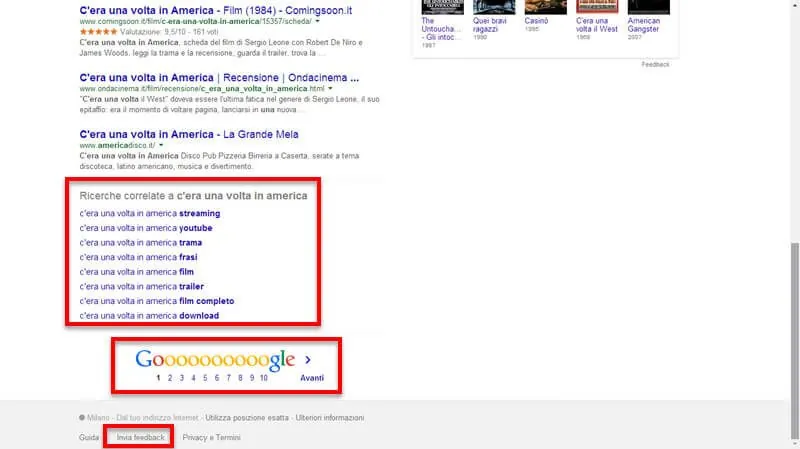
- Related searches at the bottom of the results page;
- Search Console, if the site already exists: the Performance report shows the queries you appear for, with impressions, clicks and position. It's the richest source, because these are real searches on your site.
3. Estimate volumes and seasonality
The Google Ads Keyword Planner (Tools menu) has two functions: "Discover new keywords" starts from a word or a site and suggests ideas, while "Get search volume and forecasts" analyzes a list. To use it you need a Google Ads account with billing details completed. Google Trends, on the other hand, gives no volumes: it shows interest over time on a relative scale from 0 to 100, which is useful for seasonality and for comparing two terms.
Volume alone doesn't tell you whether a keyword is good. A hundred searches a month from people ready to buy are worth more than ten thousand from the merely curious.
4. Look at the SERP before deciding
Search for the keyword and look at who is in the top positions and in what format: guides, stores, videos, maps, forums. Google is telling you which intent it recognized. If the top ten results are all e-commerce sites, an informational article will hardly get in. I explain how to read each block of the page in the guide to the SERP.
5. Assess the competition
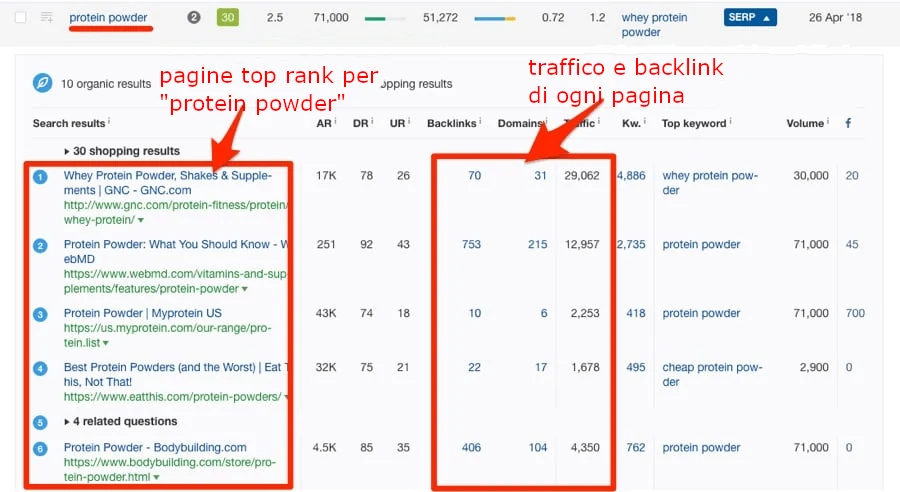
Paid tools give you a difficulty score, but the SERP is enough for a first estimate. If the top is full of big brands and national portals, the keyword is hard for a small site. If forums, old pages or small sites with poor answers show up, there's room. For a more systematic review you need a competitor analysis.
6. Group: one intent, one page
Put together the keywords that want the same answer: "running shoes beginners" and "first running shoes" go on the same page. If two keywords show almost identical results in the SERP, they share the same intent. Two pages of your site targeting the same search compete with each other (it's called cannibalization) and often neither one climbs.
7. Prioritize
For each group, ask yourself two things: how much it is worth to the business, and how likely you are to rank. Start with the groups that are worth it and within your reach. Those that are worth it but difficult become a target for later, when the site has strong pages on the topic.
A practical example
Imagine a wine shop in Florence that also sells online. After the previous steps, the keyword map could look like this (you can find the volumes for your own case with the Keyword Planner):
| Keyword group | Intent | Page | Priority |
|---|---|---|---|
| wine shop Florence, wine shop downtown Florence | Local | Home and Business Profile | High: searchers are nearby and ready |
| red wine as a gift, wine gift for connoisseurs | Commercial | Guide with a selection and links to products | High, with seasonal peaks |
| Chianti Classico price, buy Chianti online | Transactional | Product category | High |
| difference between Chianti and Chianti Classico | Informational | Article | Medium: brings readers and links |
| wine | Too generic | None | Avoid: unclear intent, huge competition |
The last row shows that discarding keywords is as much a part of the work as choosing them.
Where to place keywords on the page
Once you've chosen the keyword, use it where people and search engines look for it first:
- title tag: unique for the page, clear, with the topic at the start;
- main heading and subheadings: they help convey the structure of the text;
- first lines: answer the search question right away;
- image alt text, when it truly describes the image;
- anchor text of internal links pointing to the page: it tells users and search engines what they will find.
Don't overdo it with the URL: keywords in the domain or the path have almost no effect on ranking, even though a readable address helps people. And repetition backfires: overusing keywords violates Google's spam policies (keyword stuffing). Write with the variations and synonyms you would use when speaking.
Tools for keyword research
| Tool | What it gives you | Limits |
|---|---|---|
| Google Search Console | Real queries your site already appears for, with impressions and position | Your site only, no total volumes |
| Keyword Planner (Google Ads) | Ideas and estimated volumes | Requires a fully set up Google Ads account |
| Google Trends | Trends and seasonality, comparisons | Relative values from 0 to 100, not volumes |
| Autocomplete, People Also Ask, related searches | The real wording people use | Manual work |
| Keyword Surfer | Estimated volumes right on the Google page (free Chrome extension) | Estimates |
| Semrush, Ahrefs and similar | Volumes, difficulty, competitors' keywords | Paid |
I've been running Google Ads campaigns for over 15 years, and one piece of advice I've taken from that applies to SEO too: if you have active ads, the search terms report shows the real queries that brought clicks and conversions. It's one of the fastest ways to understand which keywords bring customers, not just visits.
Competitors' keywords

Looking at which searches your competitors rank for does two things: it uncovers keywords you hadn't considered and shows what's missing from their pages. The goal is not to avoid the same keywords (if they're the right ones for your audience, you should target them too) or to copy: you need original, useful content, and a copy is unlikely to be rewarded. Look for questions nobody answers well, data that's missing, examples that aren't there.
Brand and non-brand keywords
A useful distinction when you analyze data: searches with your name come from people who already know you, while generic ones come from people who still have to choose you. Measure them separately, because they grow for different reasons. I cover this in the guide to brand and non-brand keywords.
The most common mistakes
- Choosing by volume alone, without looking at intent and competition.
- One page for every variant ("women's running shoes", "running shoes for women"): the page competes with itself.
- The wrong format: an article where Google shows product listings, or the other way around.
- Using industry jargon instead of your customers' words.
- Not going back to the data: after a few months Search Console tells you which queries you really appear for, and that's where the best fixes are found.
Keyword choice is the foundation of everything else in SEO and the SEO strategy. To see how pages perform once published, there's the guide to ranking on Google.
Frequently asked questions
How many keywords should I use in an article?
There is no right number. It's best to choose one main keyword per page and cover variations and related questions naturally. Repeating the same word unnaturally doesn't help: under Google's spam policies it's keyword stuffing.
How do I find a keyword's search volume for free?
With the Google Ads Keyword Planner, which requires an account with billing details completed, or with free extensions such as Keyword Surfer. Google Trends only shows relative interest on a scale from 0 to 100, and Search Console shows your site's impressions, not the total volume.


