
What Is a SERP? How Google's Results Pages Work and How to Use Them
The SERP is a search engine's results page. How Google's is organized, what its features are and how to earn them, and how to read it in 6 steps before writing a page.

Eugenio Tommasi
Founder of SEO SRL
Published 8 min read

The SERP (Search Engine Results Page) is the results page a search engine like Google shows after a search, with organic results, paid ads and blocks such as maps, images, videos and AI summaries.
Table of contents (7 sections)
SERP stands for Search Engine Results Page: the page a search engine shows after a search. On Google today it is no longer a list of ten links but a mix of different blocks (ads, organic results, maps, videos, questions, AI summaries) that changes from one search to the next.
For anyone doing SEO, the SERP is the first analysis tool, and it is free to use. It pays to know its structure, its features and how to get into them, and above all how to read it.
What is a SERP: meaning
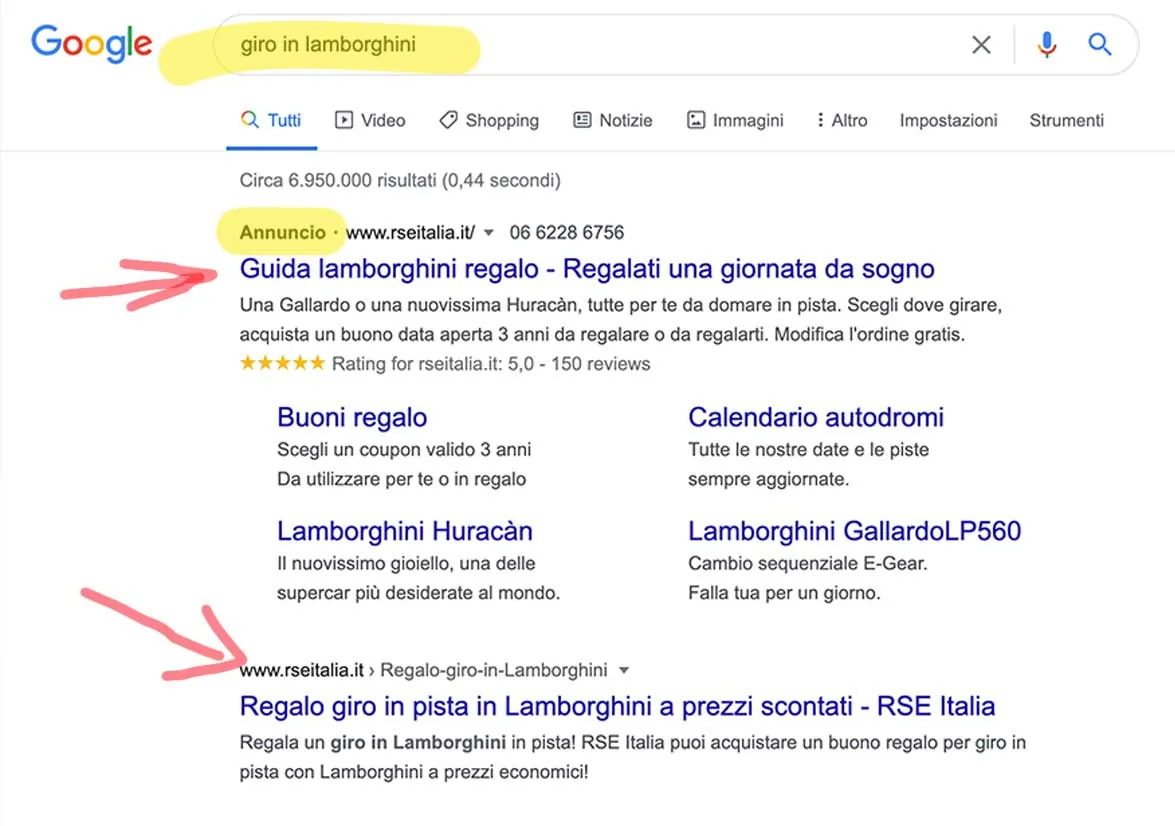
Every time you search for something, for example "Michelin-starred restaurants Rome", the search engine answers with a SERP. The plural, SERPs, is common because every search has its own page, and every page has more pages after the first. Two different searches, even similar ones, can have very different SERPs: "Michelin-starred restaurants Rome" shows a map and guides, while "cheapest Michelin-starred restaurant Rome" mostly shows articles.
How a SERP is built
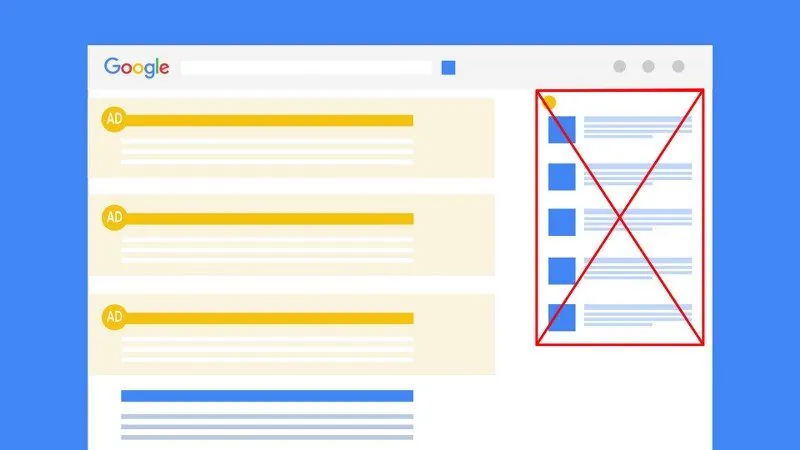
The SERP is the last step in a search engine's work. First Google crawls pages and stores them in its index; then, when someone searches, it picks the relevant pages from the index and ranks them. The three stages are explained in how search engines work.
The result also depends on who is searching. Google takes context into account: location, language, device, settings and, if the user allows it, search history. That is why we talk about personalized SERPs. If you are in Rome and just type "Michelin-starred restaurants", Google still shows you the ones in Rome.
As for numbers: the classic layout is ten organic results per page, but the number actually visible varies a lot from block to block. Google had introduced continuous scrolling for results and on June 25, 2024 removed it on desktop, going back to numbered pages; on mobile the same change was announced for the following months.
How a Google SERP is organized
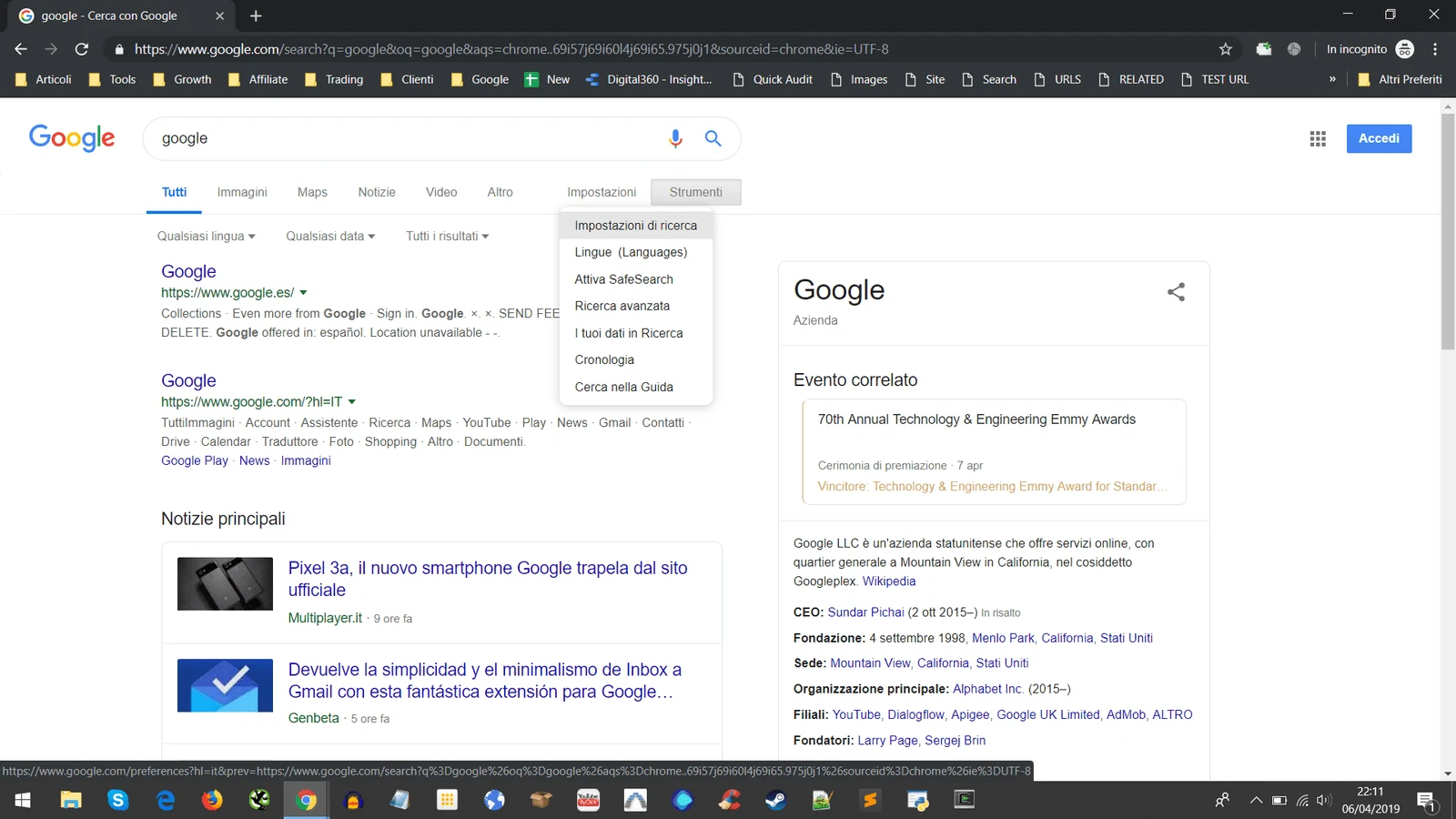
The layout changes for every search and device, but the typical pattern, from top to bottom, is this:
- ads labeled "Sponsored", if the search has commercial value;
- AI Overview, the AI-generated summary, for many informational searches;
- special blocks: map with businesses, products, images, videos, related questions, news;
- organic results, interspersed with the blocks;
- related searches and, sometimes, more ads at the bottom.
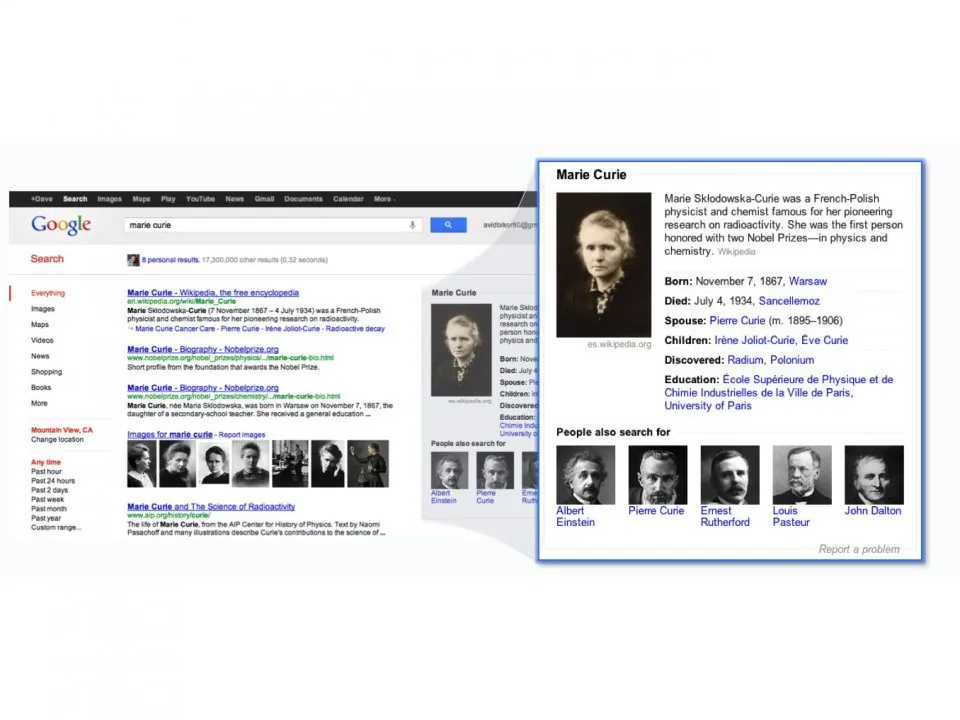
On desktop, a knowledge panel about a company, person or place may appear on the right.
Organic results and paid results
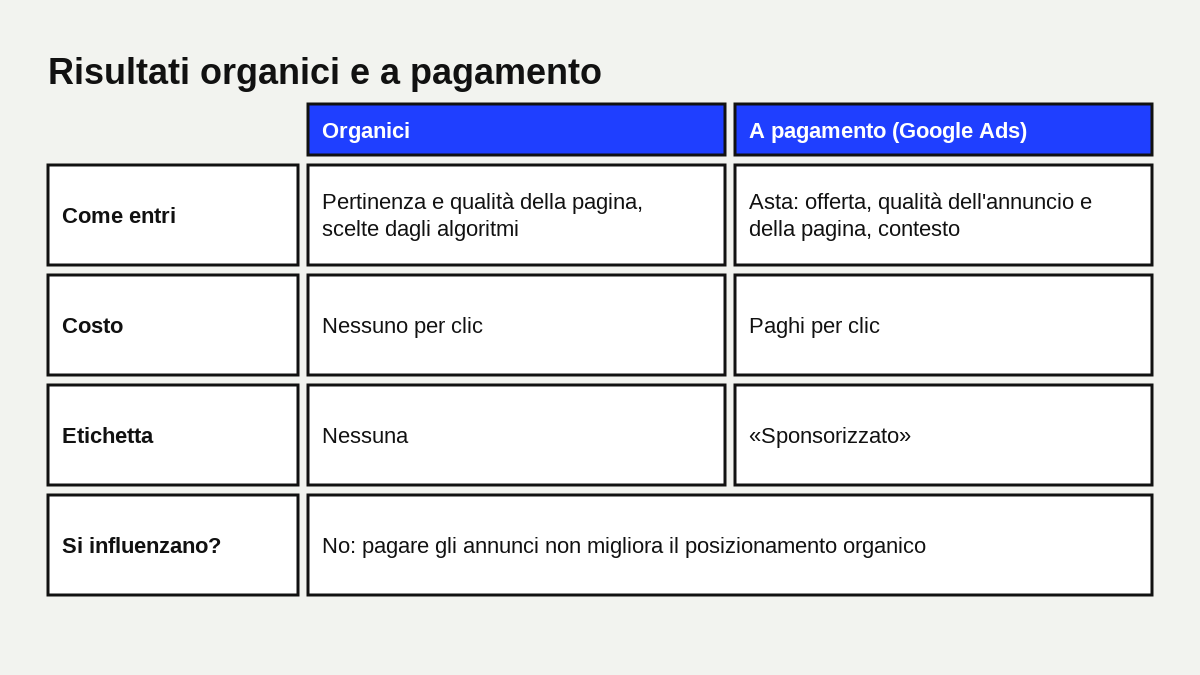
| Organic | Paid (Google Ads) | |
|---|---|---|
| How you get in | Relevance and page quality, chosen by the algorithms | Auction: bid, ad and page quality, context |
| Cost | None per click | You pay per click |
| Label | None | "Sponsored" |
| Do they influence each other? | No: paying for ads does not improve organic rankings | |
SERP features
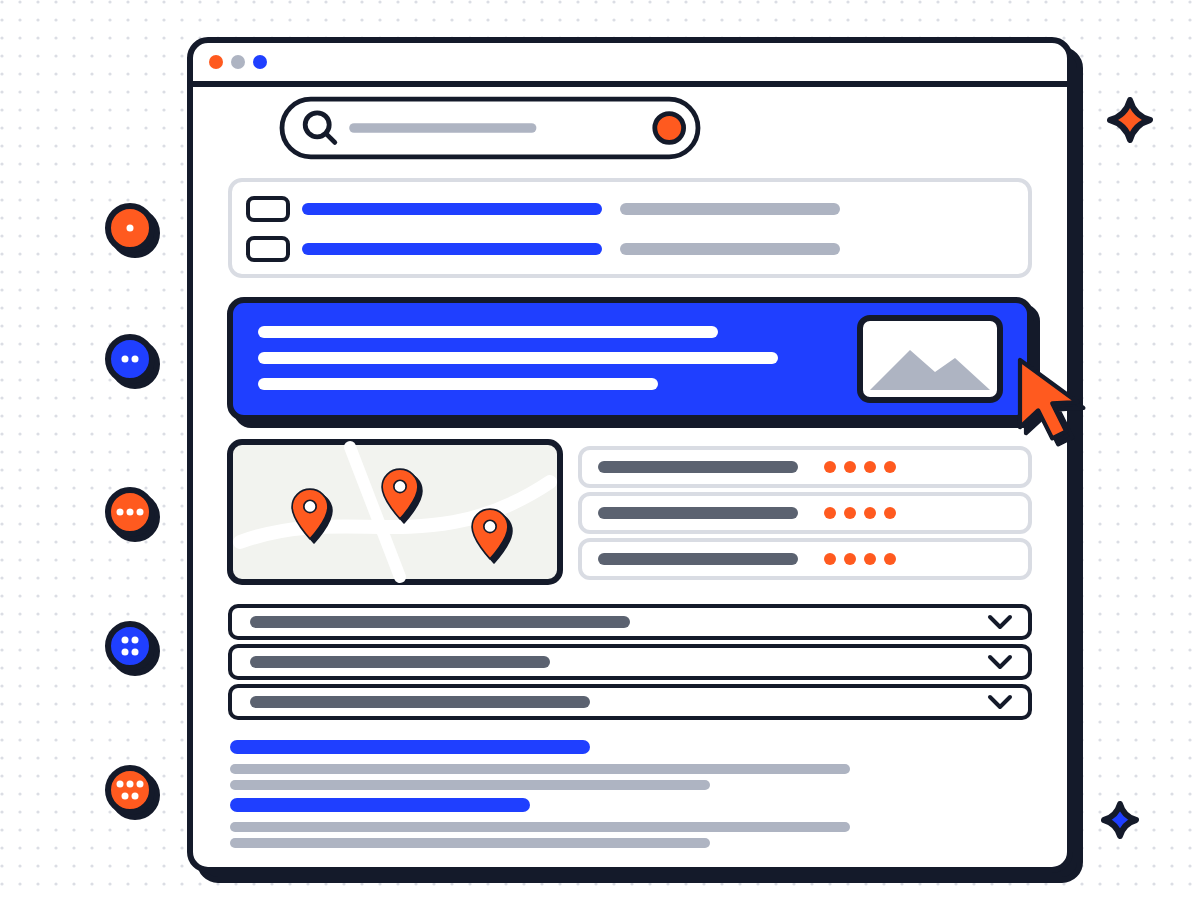
SERP features are all the blocks that are not the classic blue link. The table shows which ones you can earn and how.
| Feature | When it appears | How you get in |
|---|---|---|
| Rich results | Products, recipes, events, reviews | Structured data supported by Google; then Google decides |
| Featured snippet | Questions with a short answer | Answer clearly, on a page that already ranks well; no markup |
| Knowledge panel | Searches about people, companies, places, works | Known entity; for local businesses, Business Profile |
| Local pack and Maps | Searches with local intent | Business Profile: relevance, distance, prominence |
| Shopping | Product searches | Product feed in Merchant Center |
| Images and videos | Visual or "how to" searches | Images with descriptive file names and alt text; videos with clear titles |
| Top stories | Current events | Up-to-date news content |
| AI Overview | Many informational searches | Indexed page eligible for snippets; no special markup |
| People also ask | Informational searches | Clear answers to specific questions |
Rich results
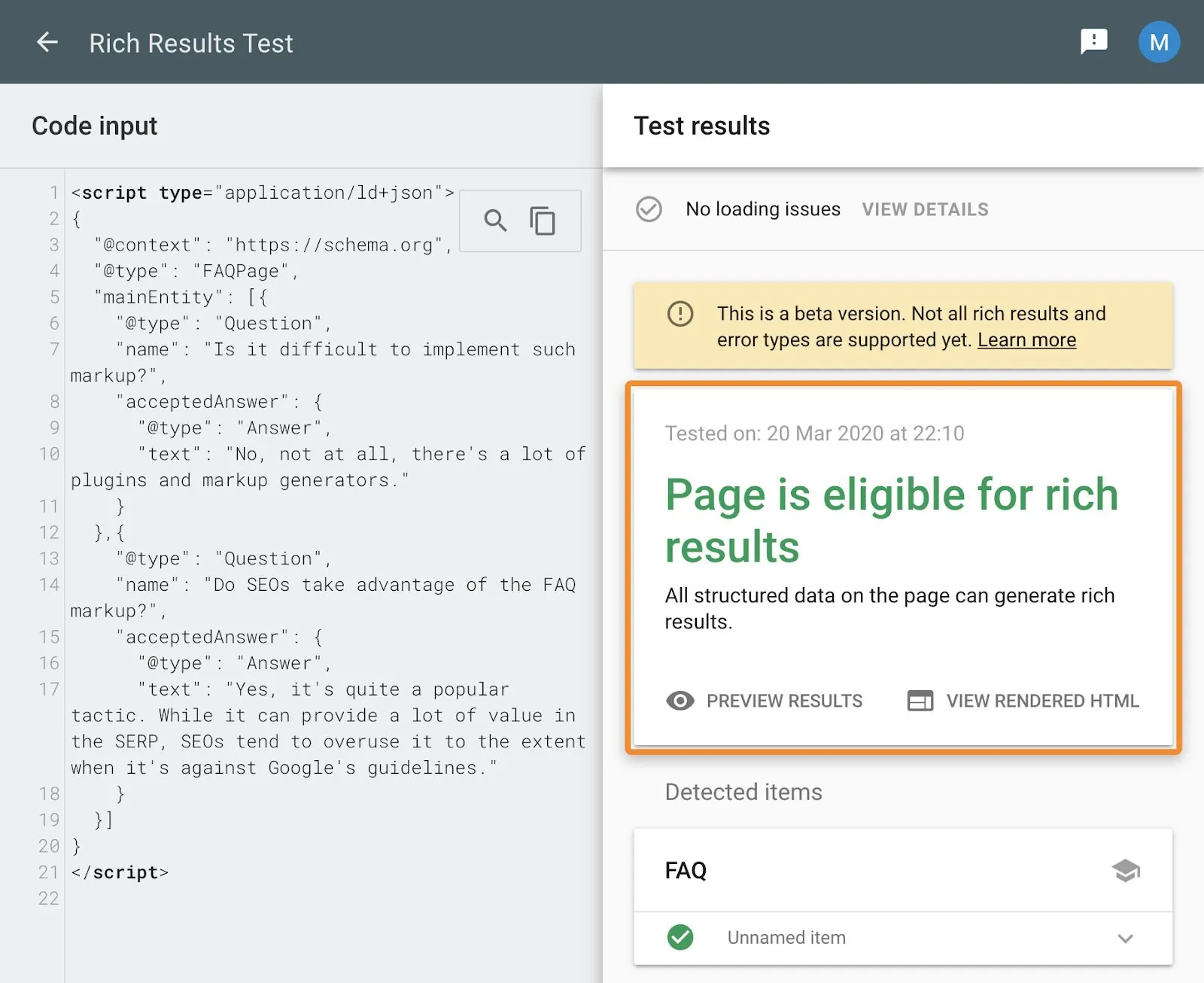
These are organic results with more information than the title and description: a product's price and availability, ratings, a recipe's cooking time, event dates. Pages become eligible when they have the structured data (schema.org) that Google supports for that type of content, but it is always Google that decides whether to show them. The catalog changes: for example, from May 7, 2026 Google no longer shows rich results for FAQs.
Rich cards, the historical name on mobile
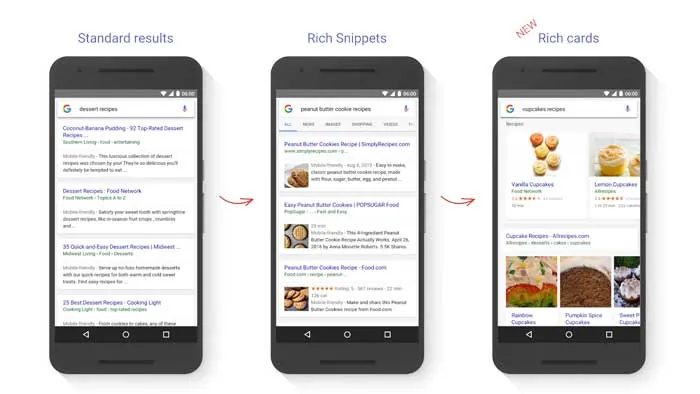
Google introduced the term in 2016 for a card-style format on mobile, based on structured data, which was later folded into rich results. The name is rarely used today, but the principle holds: on a smartphone, results with images and highlighted data catch the eye.
Direct answers and featured snippets
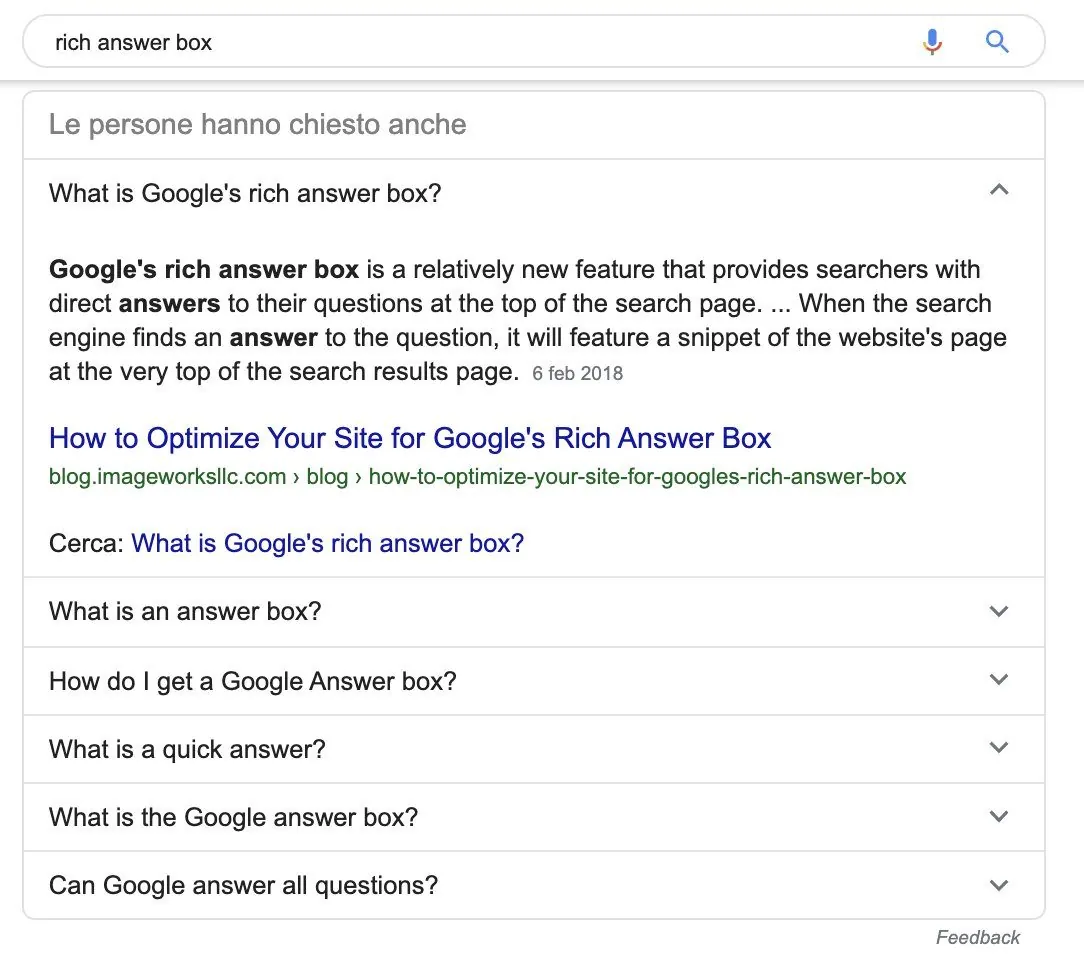
They are two different things. Direct answers appear for questions with a single, public answer (the time in New York, a calculation) and usually do not cite sources. Featured snippets show an excerpt from a web page, with a link to the source. You cannot request or trigger them with markup: Google picks the page, and all you can do is opt out with the nosnippet or max-snippet rules.
Knowledge panel and Knowledge Graph
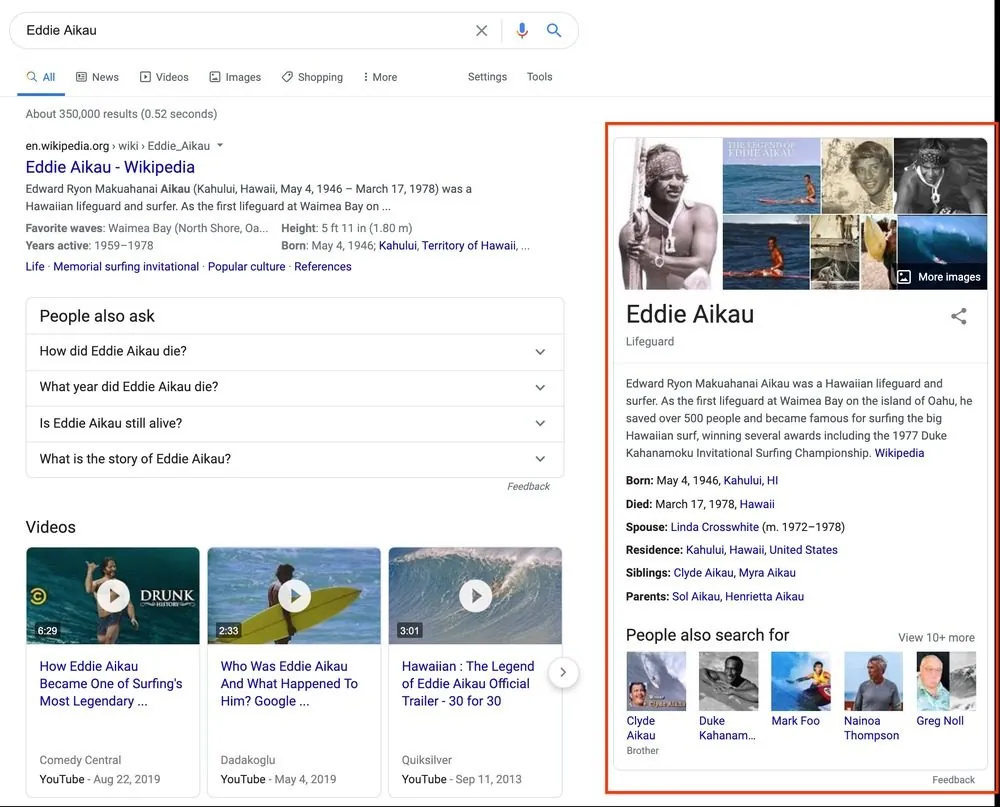
The knowledge panel appears when you search for an entity that Google knows: a well-known person, an organization, a place, a work. The information comes from the Knowledge Graph, Google's knowledge base of entities and the relationships between them, fed by web sources and partner data. Whoever represents the entity can claim the panel and suggest edits. For local businesses, the panel is instead the Business Profile, managed by the owner.
Shopping
For product searches, cards appear with a photo, price and store, both paid and free. To be there you need a product feed in Google Merchant Center.
Local pack
For searches with local intent, a map appears with a list of businesses taken from Google Business Profiles. Google ranks them by relevance, distance and prominence, meaning how well known the business is, also based on links and reviews. It is one of the blocks with the most commercial value: we cover it on the local SEO page.
Images, videos and top stories
A row of images appears where visual appearance matters (products, places, ideas); descriptive file names and alt text help you get found there too. Videos, often from YouTube, dominate "how to" searches, sometimes with key moments already marked. Top stories show recent articles with date, headline and image for current events.
AI Overview and People also ask
For many searches, an AI-generated summary appears at the top with links to the pages it draws its information from; from there you can move on to AI Mode for follow-up questions. To appear among the sources you do not need special markup or optimizations: the page must be indexed and eligible to show a snippet. Details are in the guide to Google AI Overviews.
The People also ask box collects related questions: open one and you read an answer taken from a web page, with a link, and the box grows with new questions. It is one of the best sources of content ideas, because it shows what people actually ask.
How to use the SERP for SEO: the 6-step analysis
Before writing or redoing a page, search Google for the query you want to cover and study the SERP carefully. It is the analysis I always do first, and it answers questions that no tool hands you ready-made.
- What intent did Google recognize? If guides are at the top, the intent is informational; if stores, transactional; if the map, local. Your format must match.
- Which blocks are there, and where? An AI Overview and four ads above the first organic result mean fewer clicks even in first position.
- Who is in the top results? Big brands and national portals, or small sites and forums? It tells you how hard it is to get in.
- What do the top pages have in common? Topics, structure, tables, videos, length: that is the minimum to cover.
- What is missing from all of them? An up-to-date figure, a practical example, first-hand experience, a clear answer to a People also ask question. That is where you can do better.
- How much is the search worth? Lots of ads show that companies invest in it: it usually means commercial value.
This analysis is at the heart of choosing keywords and of competitor analysis. To then see where your site appears, day by day, the reference is Search Console: I explain how to read it in the guide to Google ranking.
SERP and clicks: why first position is no longer enough
For years the goal was simple: first organic result, more clicks. Today between the search and your link there are ads, maps, videos and generated answers. A Pew Research Center study of US users measured it: when an AI summary appeared, people clicked a classic result in 8% of visits; without a summary, in 15%.
In practice:
- aim for the blocks too, not just the link: local pack, video, images, Shopping, AI Overview sources;
- choose searches where the searcher has to click anyway (quotes, products, services, in-depth comparisons);
- take care of your title and description: in the SERP they are your shop window, and they decide whether you get picked over the others.
In Italy, between September 2025 and September 2026, Google had 87.3% of searches and Bing about 6% (StatCounter data): the SERP to study, for almost everyone, is Google's.
Frequently asked questions
How do you get a featured snippet?
You cannot request or trigger one with markup: Google chooses the page. It helps to answer the question clearly and directly, in a paragraph, list or table, on a page that already ranks well for that search. All you can do is opt out, with the nosnippet or max-snippet rules.
How do you appear in AI Overviews?
No special markup or optimizations are needed: the page must be indexed and eligible to show a snippet, and the same rules as Search apply. In practice, pages that answer people's questions in a clear, verifiable way help.


