
Google AdSense: What It Is, How It Works and How Much You Can Earn
AdSense pays publishers mainly per impression and passes on 80% of revenue after the advertiser-side fee. Requirements, formats, how earnings are calculated and mistakes to avoid.

Eugenio Tommasi
Founder of SEO SRL
Published 10 min read

Google AdSense is Google's free program that lets websites and blogs earn money by showing ads: advertisers pay Google, which passes 80% of the revenue to the publisher after the advertiser-side fee.
Table of contents (11 sections)
- What Google AdSense is
- AdSense vs. Google Ads: the difference
- Requirements to get approved
- Ad formats
- How you earn money with AdSense
- When AdSense pays
- Invalid traffic: the mistake that closes your account
- Layout mistakes that cut revenue
- Pros and cons
- When AdSense makes sense and when it doesn't
- Frequently asked questions
Google AdSense is Google's free program that lets anyone with a website or blog earn money by showing ads next to their content. Advertisers pay Google, and Google passes a share of the revenue on to the publisher: 80% after the fee charged by the advertiser's platform, which works out to about 68% when the ad comes from Google Ads.
I know it from the other side too: I have been running Google Ads campaigns for over 15 years, and AdSense placements are exactly what advertisers buy with display campaigns.
What Google AdSense is
AdSense is the "sell side" of Google advertising. You make ad spaces available on your pages, Google fills them with ads from the advertisers who win the auction for that space, and at the end of the month it pays you a share of what they paid. You don't have to find advertisers, negotiate prices or invoice each of them: the network handles it all.
The price of that convenience is control: you don't decide how much your space is worth, the auction does. And you depend on the rules of a single company, which can limit or close your account.
AdSense vs. Google Ads: the difference
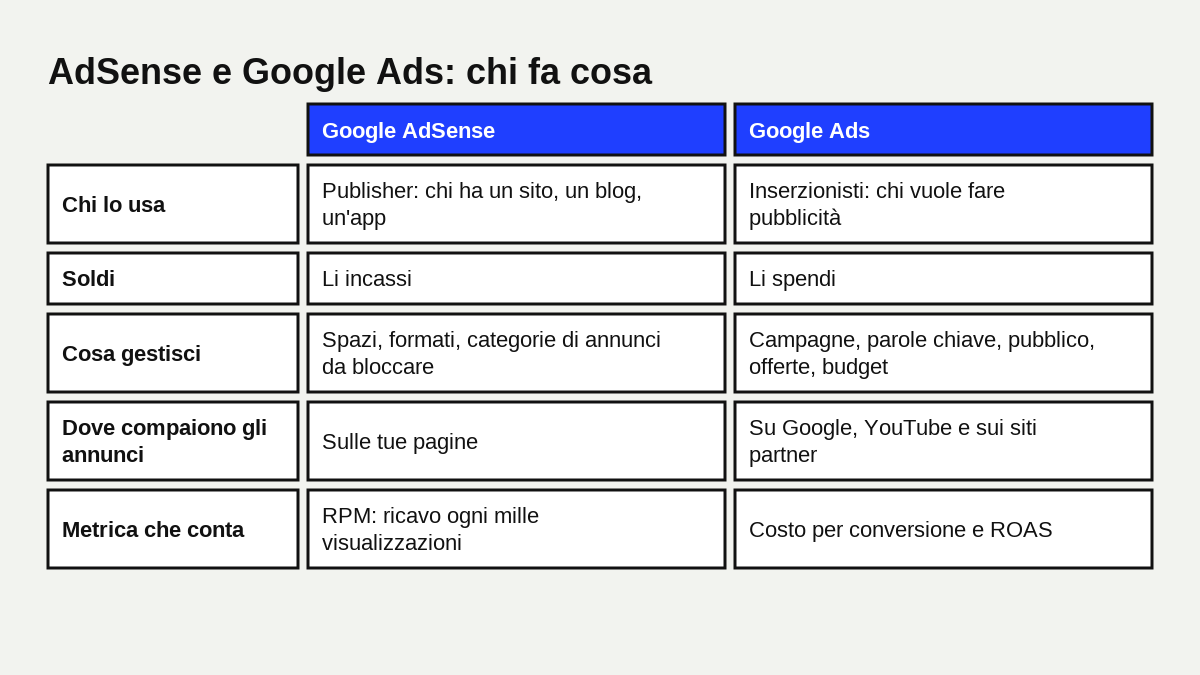
They are often confused because they are two sides of the same market.
| Google AdSense | Google Ads | |
|---|---|---|
| Who uses it | Publishers: anyone with a website, blog or app | Advertisers: anyone who wants to advertise |
| Money | You earn it | You spend it |
| What you manage | Spaces, formats, ad categories to block | Campaigns, keywords, audiences, bids, budget |
| Where ads appear | On your pages | On Google, YouTube and partner sites (including AdSense sites) |
| Metric that matters | RPM: revenue per thousand impressions | Cost per conversion and ROAS |
Requirements to get approved
AdSense asks for four things:
- your own content: original, high quality and able to attract an audience;
- compliance with the program policies, which change over time and need to be rechecked;
- at least 18 years of age (a minor can use a parent's Google account, which receives the payments);
- access to the site's HTML code. On partner platforms such as Blogger or YouTube, you apply from there.
Google doesn't state a minimum number of pages or visits. In practice, a site with a few thin pages and no clear topic gets rejected with the generic reason "low value content".
How to get started: the steps
- Create the AdSense account with your Google account and add your site.
- Place the AdSense code in the
<head>section of every page. - Publish the ads.txt file in the root of your domain (
tuosito.it/ads.txt). It isn't mandatory, but Google strongly recommends it: it states who is authorized to sell your ad spaces. The line has this format, with your publisher ID:google.com, pub-0000000000000000, DIRECT, f08c47fec0942fa0 - If you have visitors from the European Economic Area, the United Kingdom or Switzerland, use a consent management platform (CMP) certified by Google and integrated with IAB's TCF. Without one, that traffic only gets non-personalized or limited ads, which earn less. The requirement has applied since January 16, 2024 for the EEA and the UK and since July 31, 2024 for Switzerland.
- Enter your payment details and wait for the review: a few days is usually enough, though in some cases it takes 2-4 weeks. The outcome arrives by email.
Checklist before you apply
- The site has a recognizable topic and articles that genuinely answer a question.
- It has an about page, a contact page and a privacy and cookie policy.
- The menu works and there are no empty pages, pages under construction or broken links.
- No copied or mass-generated content without review: for AdSense it risks rejection for low value content, and for Google Search it is spam.
- No topics banned by the publisher policies (adult or violent content, counterfeit goods, etc.).
Ad formats
You can leave the choice of placements and formats to Google with auto ads, or create ad units one by one.
| Format | Where it appears | When it makes sense |
|---|---|---|
| Display | Responsive banners in the header, sidebar or between content blocks | Almost always: it's the basic format |
| In-feed | Inside lists of articles or products | Blogs with long archives, catalogs |
| In-article | Between the paragraphs of an article | Long texts that are read to the end |
| Multiplex | Grid of sponsored content, usually at the end of the page | High-traffic editorial sites |
| Search engine | Ads next to the results of the site's internal search | Sites with many pages and a well-used internal search |
Display units are responsive: they show text, images or rich media and change size depending on the available space and the device. You can restrict creative types and block categories or individual advertisers you don't want to see on your site.
How you earn money with AdSense
For every free ad space, Google runs an auction in a few milliseconds among the advertisers interested in that audience and topic. The ad that promises the most value wins, taking into account the bid and the likelihood of a result.
Announced in November 2023, from 2024 AdSense pays publishers mainly per impression rather than mainly per click, as the rest of the display market does. Advertisers can still buy on a per-click or per-conversion basis: what changes is how your payment is calculated, not what they buy.
Revenue share
With the same update, Google split its fee into two parts, one on the advertiser side and one on the publisher side. The result:
- the publisher receives 80% of revenue after the fee charged by the advertiser's platform;
- when the advertiser uses Google Ads, which keeps 15% on average, the publisher gets about 68% of what was spent, the same share as before;
- the percentages are the same for all publishers, wherever they are located.
RPM: the number to watch
The figure that sums it all up is page RPM, the estimated earnings per thousand page views:
RPM = (estimated earnings ÷ page views) × 1000
Flip the formula and you can estimate revenue: earnings ≈ RPM × page views ÷ 1000. Here's an example with made-up numbers: a blog with 50,000 page views a month and an RPM of €4 earns about €200. If the RPM were €1, that's €50. If it were €10, €500.
Google doesn't publish any "right" RPM figures, and I distrust the industry tables that circulate online without a source. RPM changes with:
- the topic: where advertisers compete for high-value customers (finance, insurance, education, software) the auction is more expensive;
- the visitors' country: the same article read by an audience with more purchasing power is worth more;
- the time of year: advertising budgets tend to vary over the year;
- cookie consent: without consent, ads aren't personalized and earn less;
- the position and visibility of the ad spaces, and page speed.
In Italy, moreover, advertising for gambling and betting with cash winnings has been banned on all media since 2018 (art. 9 of Decree-Law 87/2018): that sector brings no ads to Italian sites.
AdSense multiplies traffic, it doesn't create it. With a few thousand visits a month, revenue stays symbolic. The real work is bringing in readers, and for an editorial site that mainly means choosing the right keywords and writing content that ranks in Google's SERPs.
When AdSense pays
- Verification threshold: when your earnings reach the equivalent of $10, you must verify your identity and address; the address is verified with a PIN.
- Payment threshold: for accounts in euros it is €70. Below that amount, earnings accumulate and roll over to the following months.
- Estimated and final earnings can differ: before payment, Google removes clicks and impressions it considers invalid.
Invalid traffic: the mistake that closes your account

For AdSense, invalid traffic is any click or impression that artificially inflates the advertiser's costs or the publisher's earnings, whether intentional or accidental. The most common examples:
- clicking your own ads for any reason, even "just to see where it goes";
- asking friends and family to click, or encouraging clicks with phrases like "support us by clicking";
- repeated clicks or impressions from the same users;
- placements that cause lots of accidental clicks, for example ads right next to buttons or menus;
- traffic bought from automated sources, bots or deceptive software.
The point that surprises many people: you are also responsible for traffic that others generate without your knowledge. Google can limit ad serving, or suspend or close your account. You can appeal, but reinstatement isn't guaranteed. If you buy traffic to grow your visits, check the source first: a spike of low-quality visits can cost you your account.
Layout mistakes that cut revenue
- Too many ads. A page full of banners loads slowly, irritates people and makes readers leave before they see the best ads.
- Disguised ads. The policies forbid formatting them so they can't be told apart from content, placing them next to misleading images, or using arrows or labels that encourage clicks.
- Intrusive formats. Pop-ups and ads that cover much of the screen violate the Better Ads Standards.
- No testing. A common layout is one ad at the top, one between paragraphs and one at the bottom. But you find the right layout for your site by experimenting, as in an A/B test. Change one thing at a time and compare RPM and time on page over a few weeks.
- Forgetting speed. Every ad script adds weight. On mobile, slow loading costs you readers, and therefore impressions.
Pros and cons
| Pros | Cons |
|---|---|
| Free, and set up in a few days | Low revenue as long as traffic is low |
| Access to the demand of many advertisers without negotiating | The auction sets the price, not you |
| Public revenue-share percentages, detailed reports | Account limited or closed even over clicks generated by others |
| Control over formats, categories and blocked advertisers | Ads that slow down pages and distract from your goals |

When AdSense makes sense and when it doesn't
My opinion: AdSense makes sense for editorial sites, the ones that live off articles read by lots of people who don't buy anything from you. Blogs, magazines, guide and tutorial sites.
It doesn't make sense on a site that sells a product or service. If you have an e-commerce store, a professional practice or a local business, every ad is an exit to someone else, sometimes a competitor, in exchange for a few cents. There, traffic is worth far more when it becomes a lead or a sale.
Even for an editorial site, it pays not to depend on AdSense alone: a Google update that cuts organic traffic slashes revenue overnight. The most common alternatives are affiliate marketing, direct partnerships with companies in your niche, and paid content or services.
On a blog, AdSense earns as much as the organic traffic that reaches it. If visits are flat, the problem almost always lies there, in the content and in SEO copywriting, even before the design of the pages.
Do you have a blog with ads but visits aren't growing? Make your site work for sales: find out what to fix first. You'll get the 5 things to fix first, starting with where you lose organic traffic.
Frequently asked questions
How much can you earn with Google AdSense?
There is no fixed amount. The figure to watch is page RPM, the earnings per thousand page views: revenue is roughly RPM × page views ÷ 1000. RPM depends on topic, visitors' country, time of year, cookie consent and ad placement. Google only makes the revenue share public: 80% to the publisher after the advertiser-side fee, about 68% with Google Ads.
Do you need minimum traffic to be approved for AdSense?
No, Google doesn't state a minimum number of visits or pages. It asks for original, high-quality content able to attract an audience, compliance with the program policies, being at least 18 years old and access to the site's HTML code. That said, a site with a few thin pages is often rejected for low value content.
How long does AdSense approval take?
The review usually takes a few days, and in some cases 2-4 weeks. The outcome arrives by email.
When does Google AdSense pay?
When your balance reaches the payment threshold, which is €70 for accounts in euros. Before that, at the equivalent of $10, you have to verify your identity and address with a PIN. Below the threshold, earnings accumulate over the following months.
Can I click on my own AdSense ads?
No. It counts as invalid traffic, just like asking others to click or encouraging clicks. Google can limit ads, or suspend or close the account, and the publisher is also responsible for clicks generated by third parties without their knowledge.
What is the difference between AdSense and Google Ads?
AdSense is for those who publish and earn: you make spaces on your own site available. Google Ads is for those who advertise and spend: you create campaigns that can also appear on AdSense sites.

